> For the complete documentation index, see [llms.txt](https://docs.elite.cloud/llms.txt). Markdown versions of documentation pages are available by appending `.md` to page URLs; this page is available as [Markdown](https://docs.elite.cloud/get-started/view-report.md).
# 第二步 : 查看即時報告
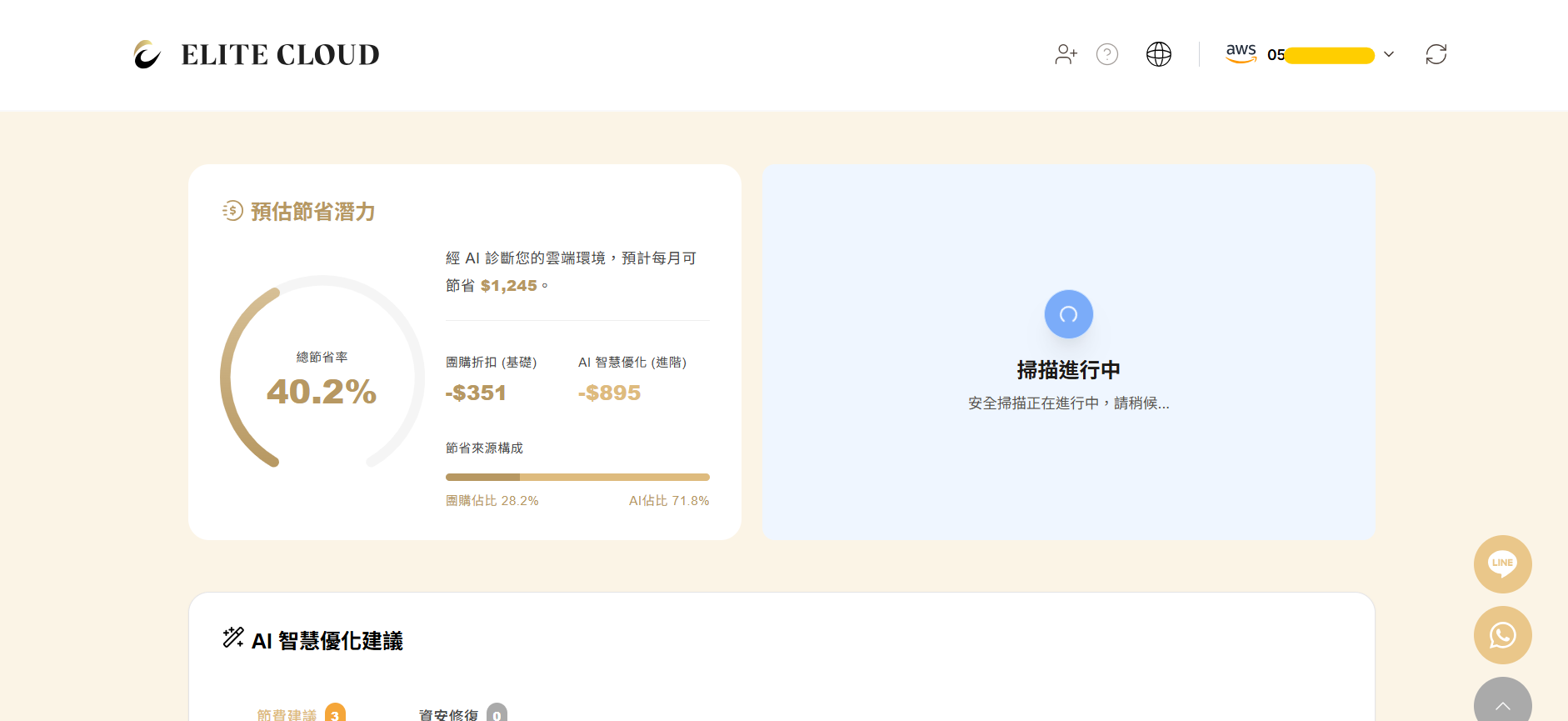
### 數據分析中... (請稍候 10\~15 分鐘)
點擊查看報告後,您會看到儀表板正在運算中。由於我們需要回溯您的歷史帳單並進行 300+ 項資安規則掃描,請給系統 10\~15 分鐘的時間。
### 解讀您的初診報告
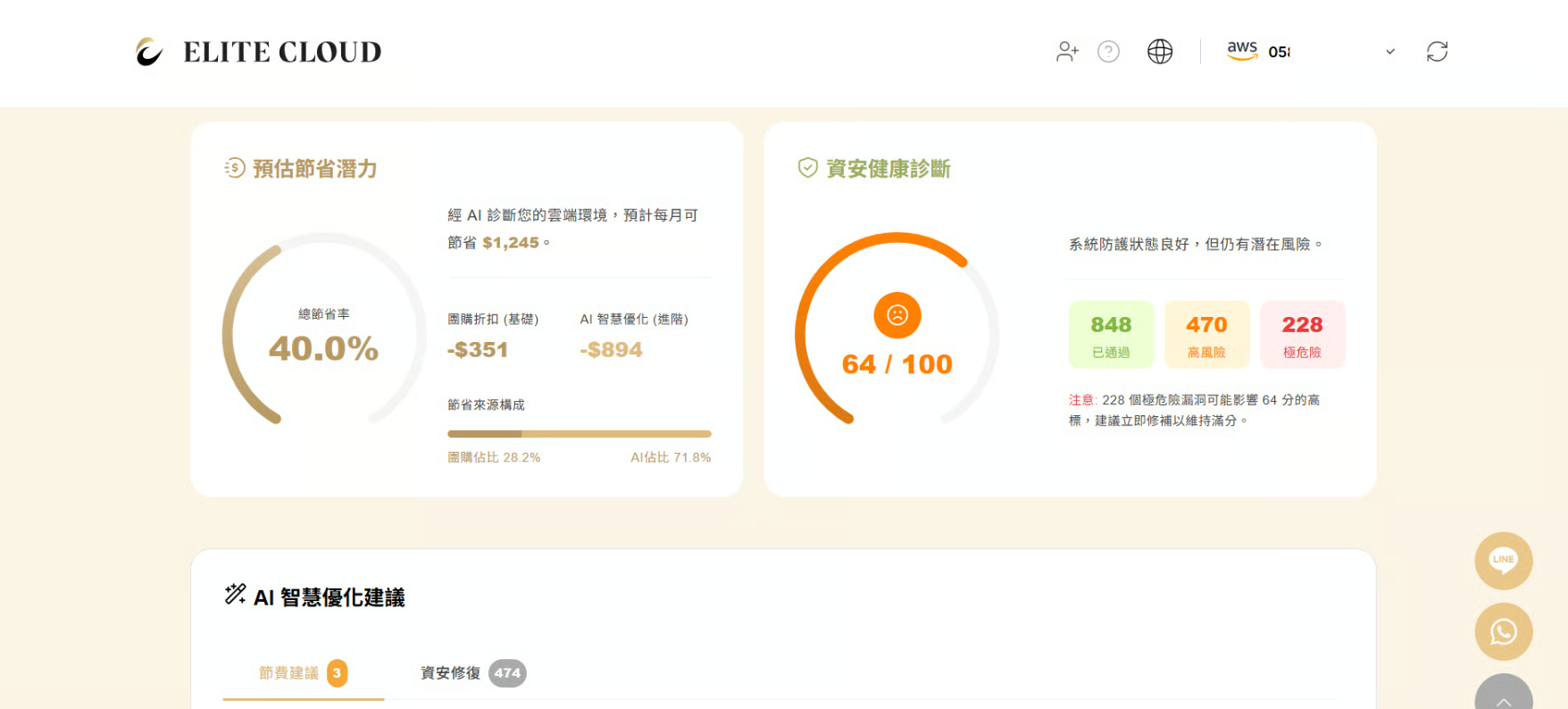
分析完成後,您將第一時間看到兩個核心指標:
1. 預估節省金額:系統計算出若採用勤英的「團購折扣」與「AI 智慧優化」策略,您每月**「本來可以省下」**多少錢。
2. 資安診斷摘要:我們將風險分為 High / Medium / Low 三個等級呈現。分數**越高**,代表您的帳號**越安全**。
---
# Agent Instructions
This documentation is published with GitBook. GitBook is the documentation platform designed so that both humans and AI agents can read, navigate, and reason over technical content effectively. Learn more at gitbook.com.
## Querying This Documentation
If you need additional information that is not directly available in this page, you can query the documentation by asking a question.
Perform an HTTP GET request on the following URL with the `ask` and `goal` query parameters:
```
GET https://docs.elite.cloud/get-started/view-report.md?ask=&goal=
```
`ask` is the immediate question: it should be specific, self-contained, and written in natural language.
`goal` is what the user is ultimately trying to achieve, the reason they need the answer. Sharing it helps GitBook give you a better, more relevant answer. A goal is most helpful when it describes the outcome the user wants rather than restating the question. For example, with `ask=how do I create an API token`, a goal like `automate deployments from our CI pipeline` lets GitBook tailor the answer to that use case.
The response will contain a direct answer to the question and relevant excerpts and sources from the documentation.
Use this mechanism when the answer is not explicitly present in the current page, you need clarification or additional context, or you want to retrieve related documentation sections.